Datum
Datum builds the working model of an industrial site, with a source behind every number. It reads the drawings, spec books, schedules and exports the site already keeps.
- Status
- Built
- Runs
- Inside the customer's network, on Enclave
- Inputs
- Drawings, spec books, P&IDs, schedules, BOMs, ERP and MES exports, inspection records
- Outputs
- Quantities, BOMs and work packages, each line with its source
A plant's drawings, spec book, schedules and inspection records disagree with each other. Datum reads them into one model and opens an item wherever two sources differ, before the site builds on either one.
Capabilities
- 01ReadRegisters each document by title block and revision, then reads symbols, tags, dimensions and notes. Every mark keeps its position on the sheet.
- 02GraphDecides which marks across many sheets are the same pump, valve or tray, records why, and flags the places where sheets disagree.
- 03ProjectDerives quantities, BOMs and work packages from the accepted model, so a count on a progress claim opens to the marks behind it.
What Datum does
- Unit of record
- The mark on the sheet
- Revisions
- All kept, changes compared line by line
- Conflicts closed by
- The engineer responsible for the item
Most companies already hold a complete description of their operation. It is spread across drawing sets in several revisions, a spec book, a line list, an equipment schedule, an ERP export and a folder of inspection records. Different teams wrote each of them for different purposes, and none was meant to be read alongside the others.
Datum reads these as they are, without a new data format or a BIM model. A P&ID tag, a schedule row and a valve on an isometric become candidates for one object, and Datum keeps the link from that object back to each mark.
When two sources disagree, Datum does not quietly pick one. The conflict becomes an open item with both sources attached, and it stays open until an engineer with authority over it closes it.
The outputs are conventional: quantities by area and system, a BOM purchasing can order from, work packages a site manager can hand to a crew. Each line opens to its evidence, and each revision records what changed.
Sheet M-201, a synthetic example. Cable tray TR-E-08 runs at +4.000 through duct DCT-S-112, which spans +3.700 to +4.600.
- 01ReadDrawing sets go in as issued.
- 02GraphMarks from many sheets become one system.
- 03StewardDrafts changes and cites the sheets.
- 04SealAn engineer accepts the change; the revision issues.
- 05ProjectQuantities and models that cite their marks.
| Duct | 0 | m | 5 marks |
|---|---|---|---|
| Pipe | 0 | m | 6 marks |
| Tray | 0 | m | 2 marks |
| Equipment | 0 | ea | 6 marks |
It starts with the drawings
Datum starts with drawings because every site has them, including plants with no BIM model and no clean ERP data. Disagreements also surface there first: a revised plan, a section nobody updated, a schedule one revision behind.
Once the drawings are in the model, the other sources attach to it. Schedules link to the objects the drawings define, ERP rows match to their items, and inspection records land on the equipment they inspected. Datum starts from drawings and goes on to model the whole operation.
- 2D drawings as issued: PDF, DWG, scans
- P&IDs, isometrics and line lists
- Spec books and equipment schedules
- Schedules, ERP and MES exports
How a document becomes a number
- 0.1Read
Datum registers each document by title block, number and revision, then reads the grid first and the symbols, tags, dimensions and notes after it. Each mark is stored with its sheet, revision and position, so a reviewer sees the exact spot it came from.
- 0.2Resolve
Marks that describe the same thing on different sheets become one object, with the reason recorded. Elevations come from sections and schedules. Where sources disagree, Datum opens a conflict instead of choosing.
- 0.3Accept
An engineer closes each conflict and accepts the model at a stated revision. Conflicts still open stay listed against the totals they affect.
- 0.4Project
Quantities, BOMs and work packages are computed from the accepted model. When the next revision arrives, Datum recomputes them and shows exactly which lines moved and why.
From source to output
| Source | What Datum reads | What it becomes |
|---|---|---|
| Plans, sections, isometrics | Grid, symbols, tags, dimensions, notes | Objects with position and elevation |
| P&IDs and line lists | Line numbers, valves, instruments, connections | Systems and how they connect |
| Spec books | Material classes, ratings, standards | Attributes on each object |
| Equipment schedules | Tag, capacity, model, location | Equipment linked to its drawings |
| ERP and MES exports | Item codes, orders, stock | BOM lines matched to objects |
| Inspection records | Test, date, result, responsible desk | Status on the equipment inspected |
What Datum will not do
- Estimates shown as counts
- Never
- Training on customer documents
- No
Datum will not invent a quantity. If a dimension is missing or illegible, the line stays open with the reason attached, and the total is reported as incomplete rather than estimated.
It will not decide engineering questions. Whether two marks are the same valve is a judgement, and so is which revision governs. Datum proposes and shows its evidence; an engineer decides.
It will not replace the customer's design tools or ERP. Drafting stays in CAD and purchasing stays in the ERP. Datum reads from those systems and returns results in formats they already accept.
Customer documents are never used to train models for anyone else. They stay with the customer, in the network the customer chooses.
Specification
Q01Is a BIM model required?
No. Datum reads the documents plants keep: 2D drawings, scans, spreadsheets and exports. Where a BIM model exists, Datum reads it as one more source.
Where 3D helps, Datum builds it from the drawings and keeps each element tied to the marks that define it.
Q02How is accuracy stated?
Accuracy depends on the documents, and Datum does not state a single figure. Every line in an output shows its source, and engineers check each line against it.
Q03How are poor scans and hand markups read?
With lower confidence where the scan is poor. Low-confidence marks are flagged for review rather than counted silently, and the review screen shows the crop of the sheet next to the reading.
Q04What happens when a new revision is issued?
Datum registers it next to the previous one, recomputes the affected quantities and shows the difference line by line.
Accepted decisions carry forward unless the change touches them. When it does, the decision reopens for the engineer who made it.
Q05Where are documents stored?
Inside the customer's network, on Enclave. By default nothing is sent to Datumata.
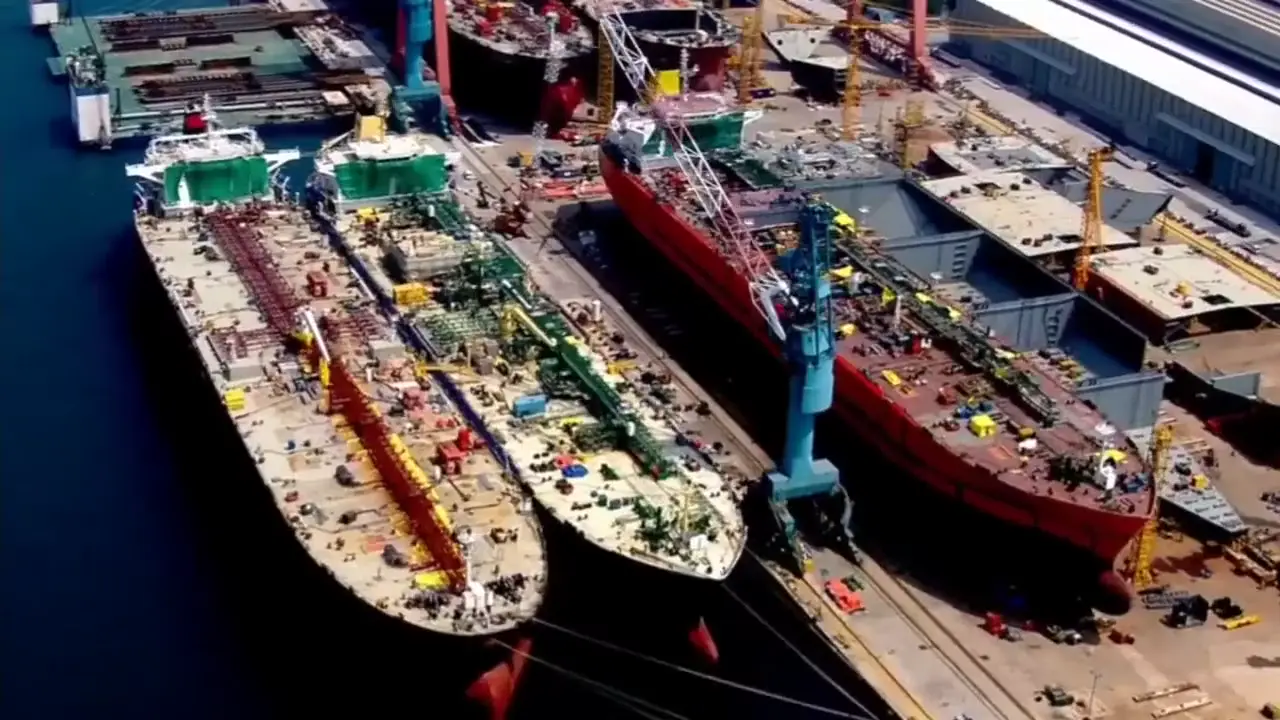
Ulsan. Hull blocks are cut, welded and lifted into place from issued drawings.
Footage: 문화창조, 매일 행복하세요! · CC BY 3.0